Now Available on the App Store

Remia App Icon

Remia

Medication & Task Tracker

A calm home for your pills, schedules, and to-dos. Track every medication, set reminders that actually fire, and see your history at a glance — without an account, without the cloud, and without a single ad. Quiet, exact, and never alarming.

Free · No Ads · No Account · Private by Design
Download on App Store Contact Us

Five screens you'll live in.

Simple by design. Everything you need, nothing you don't.

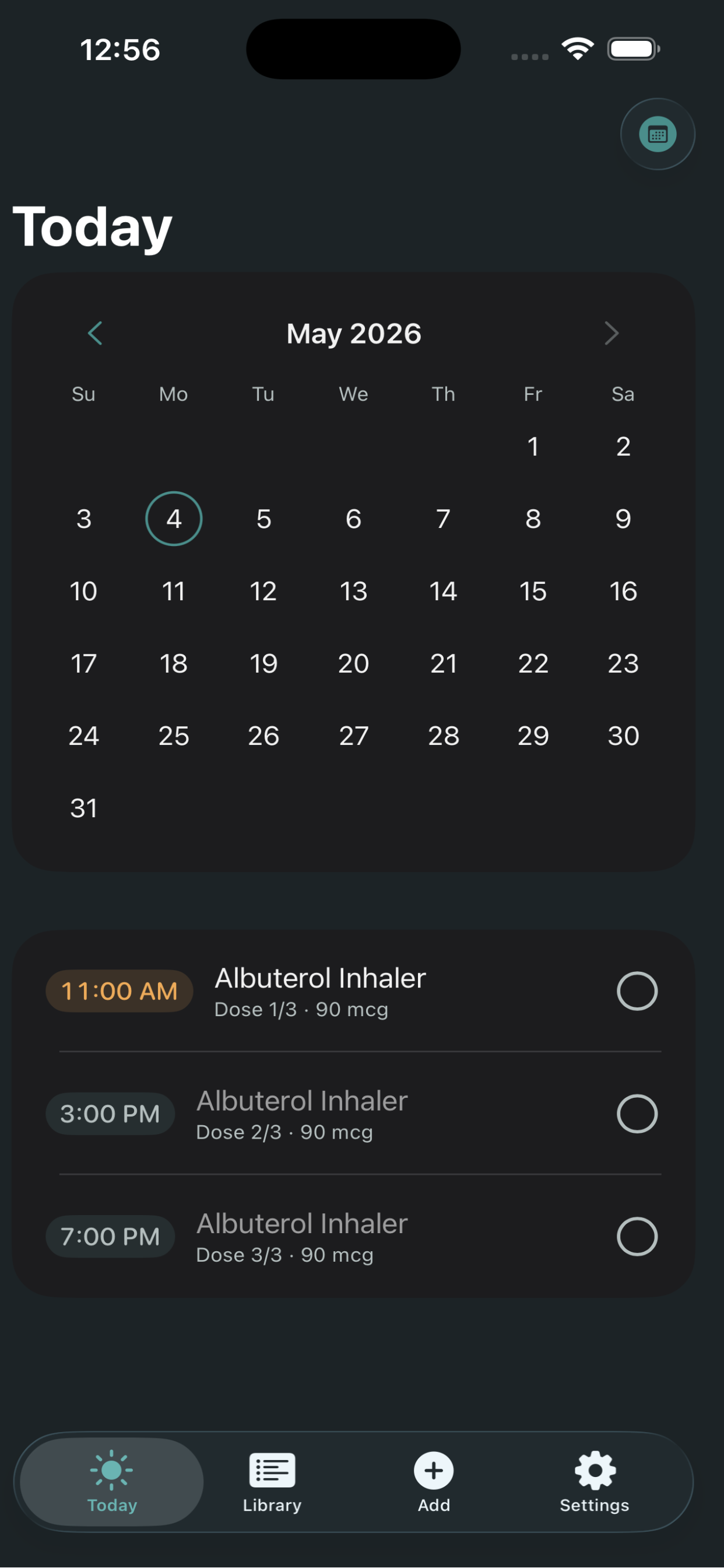
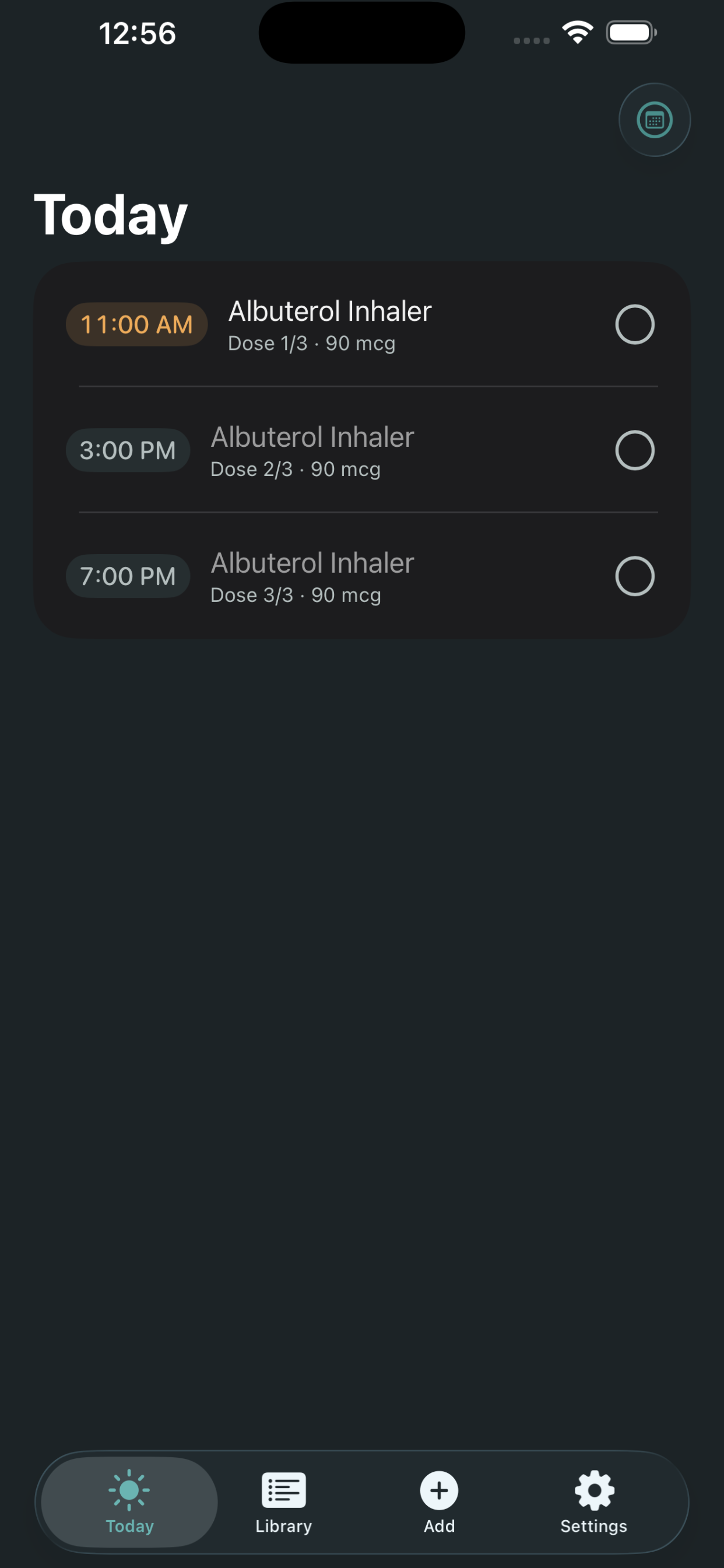
Remia Today View

Today

Your day at a glance. Doses due, items to do, and what's already done — sorted by time, marked with a tap.

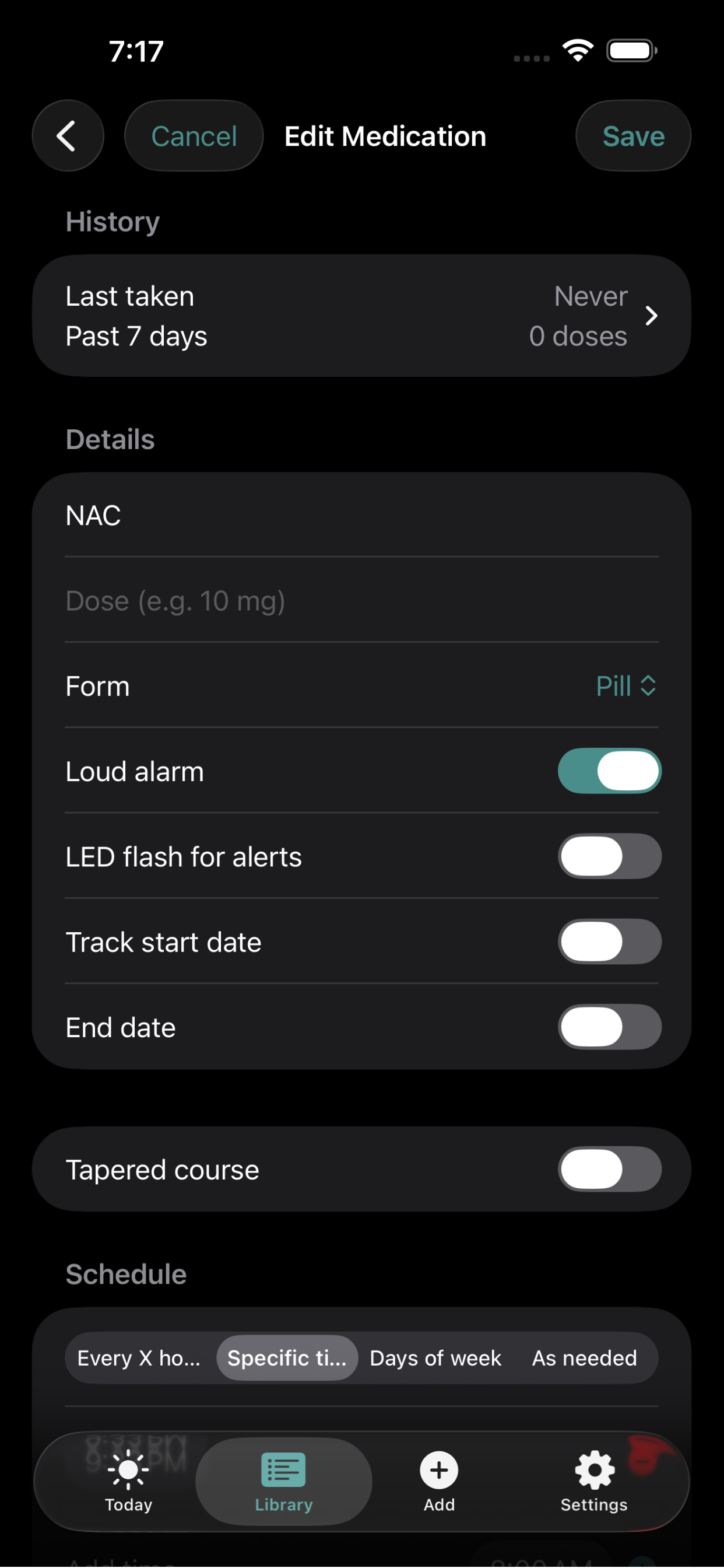
Remia Medication Form

Medication

One place per medication. Schedule, dose form, refill count, and the full history — including taper progress.

Remia Calendar View

Calendar

History at a glance. Green dots for fully taken, orange for partial, red for missed. Tap any day for details.

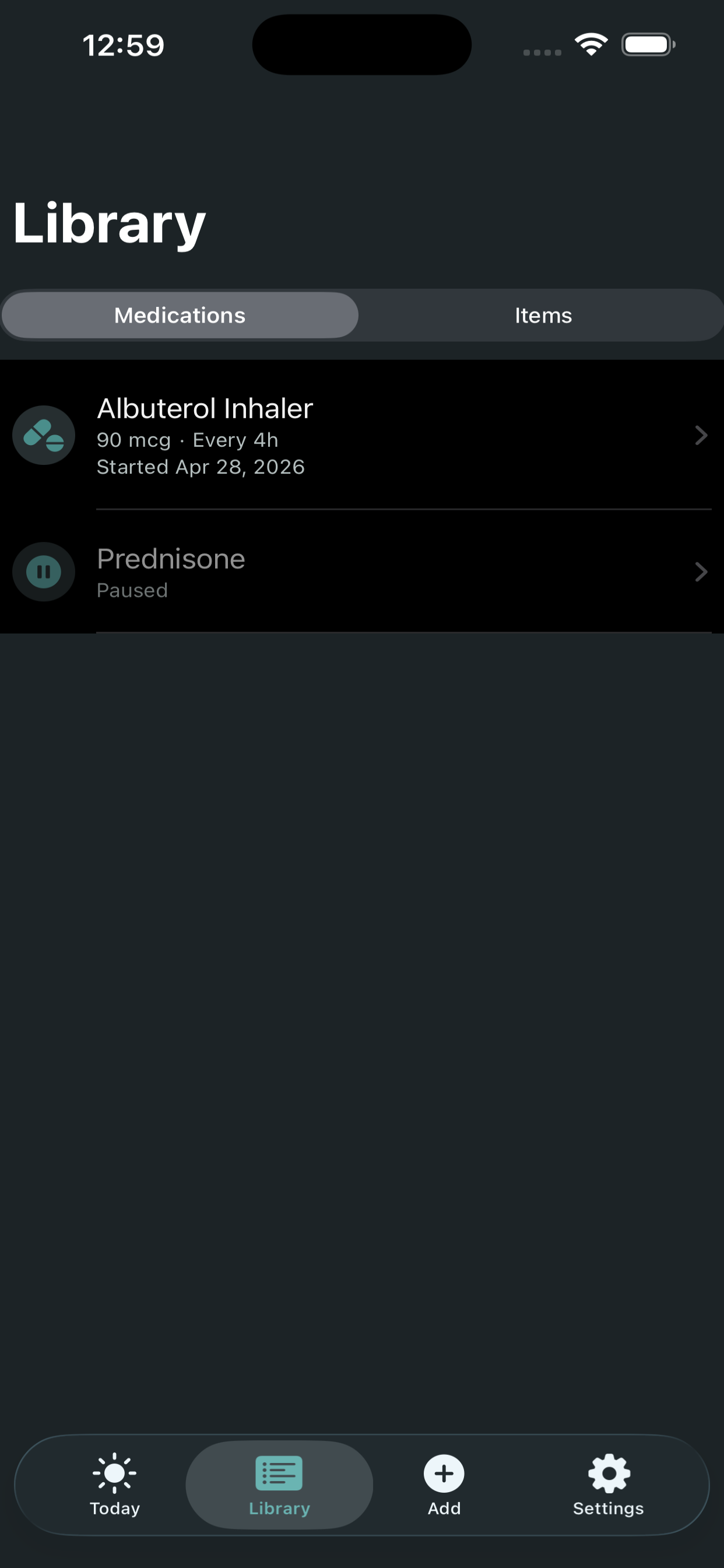
Remia Library

Library

Everything in one shelf. Active, paused, and archived medications and tasks — searchable in seconds.

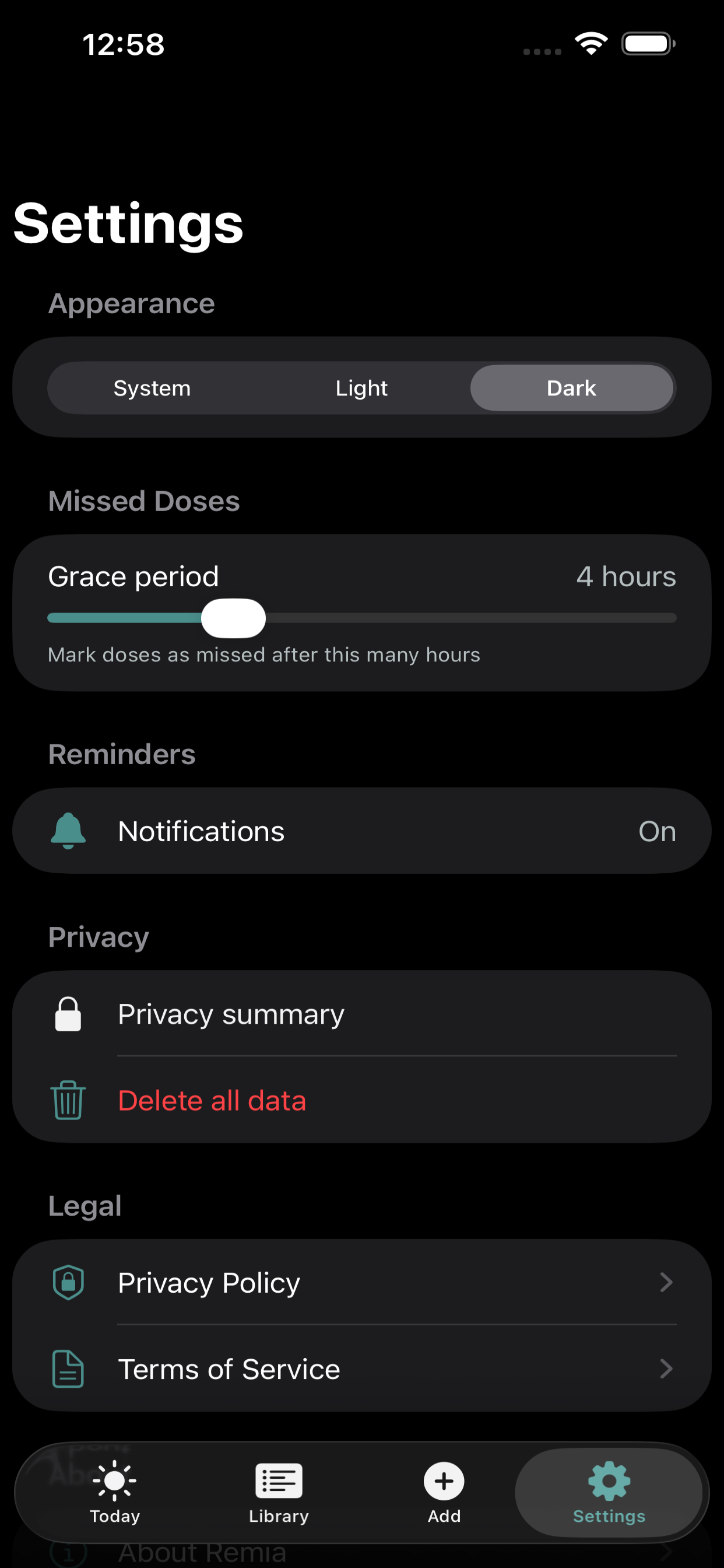
Remia Settings

Settings

Calm by default. Light, Dark, or System appearance. Notification controls. Nothing else asking for your attention.

How It Works

From first pill to full history in seven simple steps.

1

Add Your Medication

Enter your med name, dose, and form — pill, inhaler, injection, liquid, or patch. Set your schedule: specific times, every X hours, certain days of the week, or as needed.

2

Get Reminded

Remia schedules local notifications with today's doses always prioritized. Opt in to a loud persistent alarm per medication with automatic follow-ups at +5, +10, and +15 minutes. When a reminder fires, tap "Take" right from the notification — or snooze.

3

Track Tasks Too

Add recurring tasks alongside your meds — refill pickup, blood pressure check, lab appointment. One app for pills and to-dos.

4

See Your Day at a Glance

The Today view shows everything due, color-coded by status: upcoming, due now, taken, missed, or skipped. You always know where you stand.

5

Handle Tapered Courses

For meds like Prednisone that step down over time, build a multi-phase taper — each phase can have its own schedule type. Remia tracks which phase you're in and adjusts your doses automatically.

6

Track Your Refills

Enter your pill count and a low-supply threshold. Remia counts down as you take doses and alerts you when it's time to refill — before you run out.

7

Review Your History

A built-in calendar shows your adherence day by day with colored dots — green for all taken, orange for partial, red for missed. Tap any day for the full detail.

Key Features

Everything you need. Nothing you don't.

🌿

Calm Design

Simple, clean interface. No clutter, no guilt, no gamification. Just your meds and your day.

📅

Flexible Scheduling

Specific times, every X hours (with optional daily end time), days of the week, or as needed. Every pattern covered.

📊

Taper Support

Multi-phase tapering for prescriptions that step down — each phase with its own schedule type. Prednisone bursts, antibiotic courses, anything with changing doses.

🔄

Recurring Tasks

Track health tasks alongside your meds — daily, weekly, monthly, or one-off. One app for everything.

🔔

Loud Alarm Reminders

Opt in to a persistent alarm sound per medication with automatic follow-ups at +5, +10, and +15 minutes. Today's doses are always prioritized within the iOS notification cap.

🔅

LED Flash for Alerts

Flash the camera LED when a reminder fires — helpful for hearing-impaired users. A one-time tip guides you to enable the system setting for full background coverage.

📅

End Dates

Set an end date on any non-tapered medication so reminders stop automatically when you're done. No manual cleanup needed.

💊

Refill Tracking

Set your pill count and a low-supply threshold. Remia alerts you when it's time to refill.

🗓️

History Calendar

Day-by-day adherence with colored dots. Tap any day to see exactly what was taken, missed, or skipped.

📱

iPad Optimized

Adaptive layout with sidebar navigation on iPad. Full-screen or Split View — Remia feels at home on any screen size.

🔒

Private by Design

No accounts, no cloud sync, no analytics. Your health data stays on your device. Period.

🌙

Dark & Light Mode

Follow your system setting or choose your own. Deep teal on cream in light mode, rich dark tones at night.

Missed Dose Detection

Doses that pass their window are marked as missed — gently, without judgment. You can still mark them taken if you were late.

♻️

Unlimited & Free

No medication limits, no subscription walls, no ads. Every feature is free, forever.

Frequently Asked Questions

Quick answers to common questions.

Is Remia really free?

Yes. Completely free, no ads, no in-app purchases required. Every feature you see today stays free forever. A future optional "Remia+" tier may add extras like widgets and iCloud sync, but nothing you have now will ever be gated.

Where is my data stored?

Entirely on your device. Remia has no accounts, no cloud sync, and no analytics. Your health data never leaves your phone or tablet.

Can I track more than just medications?

Yes. Remia includes a full task tracker for recurring health tasks — refill pickups, lab appointments, blood pressure checks, or anything else you want to stay on top of.

What is a tapered course?

Some prescriptions (like Prednisone) start at a high dose and gradually step down. Remia lets you define multiple phases with different doses and durations, then tracks which phase you're in automatically.

How do notifications work without a server?

Remia uses iOS local notifications — they're scheduled directly on your device and fire even when the app is closed. No internet connection needed.

What is the loud alarm option?

You can enable a persistent alarm sound per medication. When that dose fires, Remia plays an alarm and automatically sends follow-up reminders at +5, +10, and +15 minutes until you mark the dose as taken. It's opt-in — your other meds stay quiet unless you turn it on.

Is Remia accessible for hearing-impaired users?

Yes. You can enable LED flash alerts so the camera LED flashes when a reminder fires. Remia also shows a one-time tip to help you enable the system-level LED setting for full background coverage.

Does it work on iPad?

Yes. Remia has an iPad-optimized layout with sidebar navigation, adaptive widths, and full support for Split View and Slide Over.

What happens if I miss a dose?

Remia gently marks it as missed after a grace period. No guilt trips, no alarm bells. You can still tap to mark it taken if you took it late. Your calendar history shows the full picture.

Perfect For

Remia is built for people who want simplicity and privacy.

Download on App Store Contact Us